Table of Contents
TogglePicking the right office chair isn’t just about lumbar support and cushioning when you have ADHD. The constant need to shift, bounce, or fidget isn’t a distraction, it’s how many brains with ADHD stay engaged. A standard office chair that demands stillness can actually tank focus instead of supporting it. The good news? There are chairs specifically designed to accommodate movement, sensory needs, and the kind of restless energy that comes with ADHD. Whether someone’s working from a home office or tackling DIY project planning at a desk, the right seating can make the difference between productive flow and endless tab-switching.
Key Takeaways
- An ADHD office chair should enable movement and micro-adjustments—such as rocking, swiveling, and tilting—to maintain focus rather than restrict it.
- Sensory-friendly materials like breathable mesh, medium-density foam, and smooth textures prevent distractions caused by overheating, pressure points, or irritating fabrics.
- Active sitting chairs, rocking task chairs, and mesh ergonomic chairs are top styles that support ADHD-specific movement and sensory needs better than traditional rigid office chairs.
- Proper desk height, monitor placement, lighting, and minimal visual clutter work together with your office chair to create a workspace optimized for ADHD focus.
- Temperature control, sound management, and built-in movement breaks complement the right chair choice to eliminate background distractions that pull ADHD attention away from tasks.
Why Your Office Chair Matters When You Have ADHD
ADHD brains often crave movement to maintain focus. It’s not fidgeting for the sake of distraction, it’s self-regulation. A rigid chair that locks someone into one position can feel like a straitjacket, making concentration harder, not easier.
Traditional office chairs are built around the idea that stillness equals productivity. But for someone with ADHD, micro-movements like rocking, swiveling, or shifting weight can actually enhance cognitive function by keeping the brain’s arousal levels in the sweet spot. When that movement is restricted, focus tends to wander.
The chair also affects sensory input. Textures, temperatures, and even the feeling of pressure against the body can either ground someone or become a source of distraction. A chair with scratchy fabric or poor ventilation might pull attention away from the task at hand every few minutes.
Comfort isn’t a luxury here, it’s functional. Pain, stiffness, or even minor irritation from a poorly fitted chair creates background noise that an ADHD brain has a harder time filtering out. Ergonomics matter, but they need to work with the way an ADHD brain operates, not against it.
Essential Features to Look for in an ADHD-Friendly Office Chair
Not every feature marketed as “ergonomic” will support ADHD-specific needs. Here’s what actually makes a difference.
Movement and Adjustability Options
Look for chairs that allow dynamic movement without tipping over. Active sitting chairs, like balance ball chairs, kneeling chairs, or wobble stools, let the user shift their center of gravity constantly. This keeps the core engaged and the brain alert.
Swivel and tilt functions are non-negotiable. A chair that rotates smoothly (360 degrees) and tilts backward or rocks gently gives an outlet for restless energy. Some models offer tension-adjustable tilt mechanisms, so the user can control how much resistance the chair provides when leaning back.
Height adjustability is standard, but armrest adjustability matters too. Fixed armrests can force awkward postures: adjustable ones (height, width, angle) let someone find a position that feels right moment to moment. If armrests feel restrictive, removable ones are a plus.
Consider chairs with a flexible backrest. Mesh backs that give slightly when leaning provide a sensation of movement without losing support. Rigid plastic or hard foam backs can feel too static.
Sensory-Friendly Materials and Textures
Fabric choice affects both comfort and focus. Breathable mesh prevents overheating, which can become a nagging distraction during long work sessions. Leather and faux leather can trap heat and stick to skin, fine in a climate-controlled space, less so in a garage workshop or a home office with inconsistent HVAC.
Cushion firmness is personal, but memory foam that conforms slowly can feel “slow” to someone who shifts positions frequently. Medium-density foam or gel-infused cushions adapt faster to movement. Some ADHD users prefer firmer seats that provide clearer sensory feedback.
Texture matters more than most people realize. Smooth, cool-to-the-touch materials like certain modern design-focused chairs can feel calming, while heavily textured fabrics might either soothe or irritate depending on sensory preferences. If possible, test the material before committing, or choose a chair with a removable, washable cover that can be swapped out.
Avoid chairs with excessive seams or stitching that create pressure points. Flat, continuous surfaces across the seat pan reduce the chance of sensory annoyance.
Top Office Chair Styles That Support ADHD Needs
Different chair designs cater to different movement and sensory profiles. Here are the styles worth considering.
Active Sitting Chairs: These include balance ball chairs (a yoga ball in a wheeled frame), wobble stools, and saddle chairs. They require constant micro-adjustments to maintain balance, which keeps the body and brain engaged. They’re best for people who find traditional chairs too confining. Downside: less back support, so they work better for shorter sessions or as a secondary chair to rotate in.
Kneeling Chairs: These shift weight forward onto the shins and knees, promoting an open hip angle and upright posture. They prevent slouching and keep the core active. Some models rock gently. Not ideal for all-day use or for anyone with knee issues, but great for mixing into a rotation.
Rocking or Tilting Task Chairs: Standard office chairs with enhanced tilt mechanisms. Look for synchro-tilt (seat and back move together) or multi-tilt options that allow independent seat and backrest angles. Brands often market these as “executive” or “ergonomic” chairs, but the key feature is the tilt range and tension control.
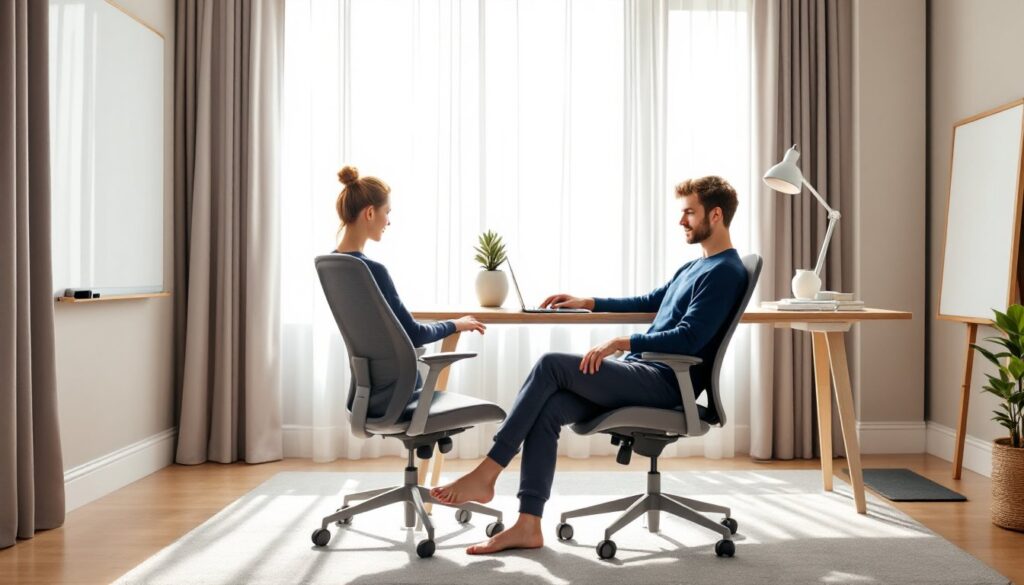
Mesh Ergonomic Chairs: High-adjustability chairs with breathable mesh backs and seats. These accommodate fidgeting well because they flex slightly with movement. Many of the popular options seen in home office design galleries fall into this category. They’re quieter than balance chairs and look professional on video calls.
Gaming Chairs with High Adjustability: Gaming chairs often include rocking functions, adjustable armrests (4D is best), and supportive but not rigid padding. They’re designed for long sessions and allow a range of postures, from upright focus mode to reclined thinking mode. The bold aesthetics aren’t for everyone, but the function is solid.
Standing Desk Stools: These are perch-style seats that let someone lean rather than sit fully. They’re meant for use with a standing desk at full height. The semi-standing posture keeps energy up and allows easy shifts between sitting, leaning, and standing.
Setting Up Your Home Office for Maximum Focus
The chair is one piece. The rest of the workspace setup either supports or sabotages focus.
Desk height and chair height must match. When seated, feet should rest flat on the floor (or on a footrest), with knees at roughly 90 degrees and elbows level with the desk surface. If the desk is fixed-height and the chair doesn’t adjust high enough, add a footrest. If the chair goes too high, consider a height-adjustable desk or desktop riser.
Monitor placement affects posture and focus. The top of the screen should be at or slightly below eye level, about an arm’s length away. If someone’s constantly looking down or craning their neck, it creates physical discomfort that pulls focus.
Lighting matters. Harsh overhead lights or screen glare can overstimulate or cause eye strain. Use task lighting (adjustable desk lamps) and position the desk to minimize glare on the monitor. Cooler light (5000K–6500K) can help alertness: warmer tones (2700K–3000K) feel less clinical but may be too relaxing for focus-heavy tasks.
Minimize visual clutter in the immediate field of view. ADHD brains can get pulled into whatever’s visible. A clean desk surface, closed cabinets, or simple storage bins keep distractions off the table. That doesn’t mean sterile, personalization helps, but choose a few intentional items rather than a pile of random objects.
Incorporate movement breaks into the environment. Even the best ADHD-friendly chair won’t eliminate the need to stand, stretch, or pace. Many interior design resources suggest small changes like a standing mat near the desk, a small whiteboard for standing brainstorming, or even a pullup bar in the doorway to break up long sits.
Sound control is another layer. Some people with ADHD need white noise or music to drown out distracting background sounds: others need silence. Noise-canceling headphones, a small fan for ambient sound, or acoustic panels can all help. Test what works and build it into the space.
Temperature and airflow shouldn’t be overlooked. A too-warm room can make someone sluggish: too cold, and they’re distracted by discomfort. A small desk fan or space heater (depending on season and climate) gives control without waiting for the whole house HVAC to adjust.
Conclusion
The right office chair for ADHD isn’t about finding a magic bullet, it’s about matching the chair to how the brain actually works. Movement, sensory comfort, and flexibility aren’t nice-to-haves: they’re the foundation of a workspace that supports focus instead of fighting it. Pair a well-chosen chair with thoughtful desk setup, and the home office becomes a place where productivity happens naturally, not through sheer willpower.